PentestPath vs CherryTree vs Obsidian for pentest reporting
If you do pentests, CTFs, or your OSCP labs, you have probably lost the thread between a dozen terminals, a folder of screenshots, and a half-written report. CherryTree and Obsidian are great note tools, but they were never built for offensive engagements. Here is an honest look at how each one handles pentest note-taking and reporting — and where a purpose-built workspace changes the workflow.
- CherryTree — free, lightweight hierarchical notes. Fine for storing notes, but you build the report by hand.
- Obsidian — powerful knowledge base you can extend with plugins, but you assemble and maintain the pentest setup yourself.
- PentestPath — purpose-built: attack-path graph, integrated terminal, findings, and a report generated from what you captured.
Feature comparison
| Criterion | PentestPath | CherryTree | Obsidian |
|---|---|---|---|
| Built for pentest engagements | Yes | No | No |
| Attack-path graph | Yes | No | Partial |
| Integrated terminal | Yes | No | No |
| Structured findings & evidence | Yes | Manual | Manual |
| Screenshot paste + annotation | Yes | Limited | Plugins |
| Report export (HTML / PDF) | Yes | Basic | Plugins |
| Local-first & offline | Yes | Yes | Yes |
| Encrypted vault | Optional | Partial | Plugins |
| Setup effort for pentest | Low | Medium | High |
| Price | Free + Pro $47.99 | Free | Free / paid |
CherryTree for pentest notes
CherryTree is a free, open-source hierarchical notebook that has been a default in the OSCP community for years. It is fast, stores rich text and code blocks, and works fully offline. For pure note storage it does the job. The gap is everything around the notes: there is no attack-path graph, no integrated terminal, and no concept of findings or evidence that flows into a report. When the engagement ends you are still copying screenshots and reformatting notes into a Word or markdown template by hand.
Obsidian for pentest reporting
Obsidian is an excellent local-first knowledge base, and with templates and community plugins many pentesters turn it into a capable note system. Its graph view links notes, not attack paths, and there is no integrated terminal tied to the host you are working on. The real cost is ownership: you research, install, and maintain the plugin stack yourself, and keep it working across updates. That is fine if you enjoy building your own tooling, and friction if you just want to run the test and ship the report.
PentestPath: notes that become the report
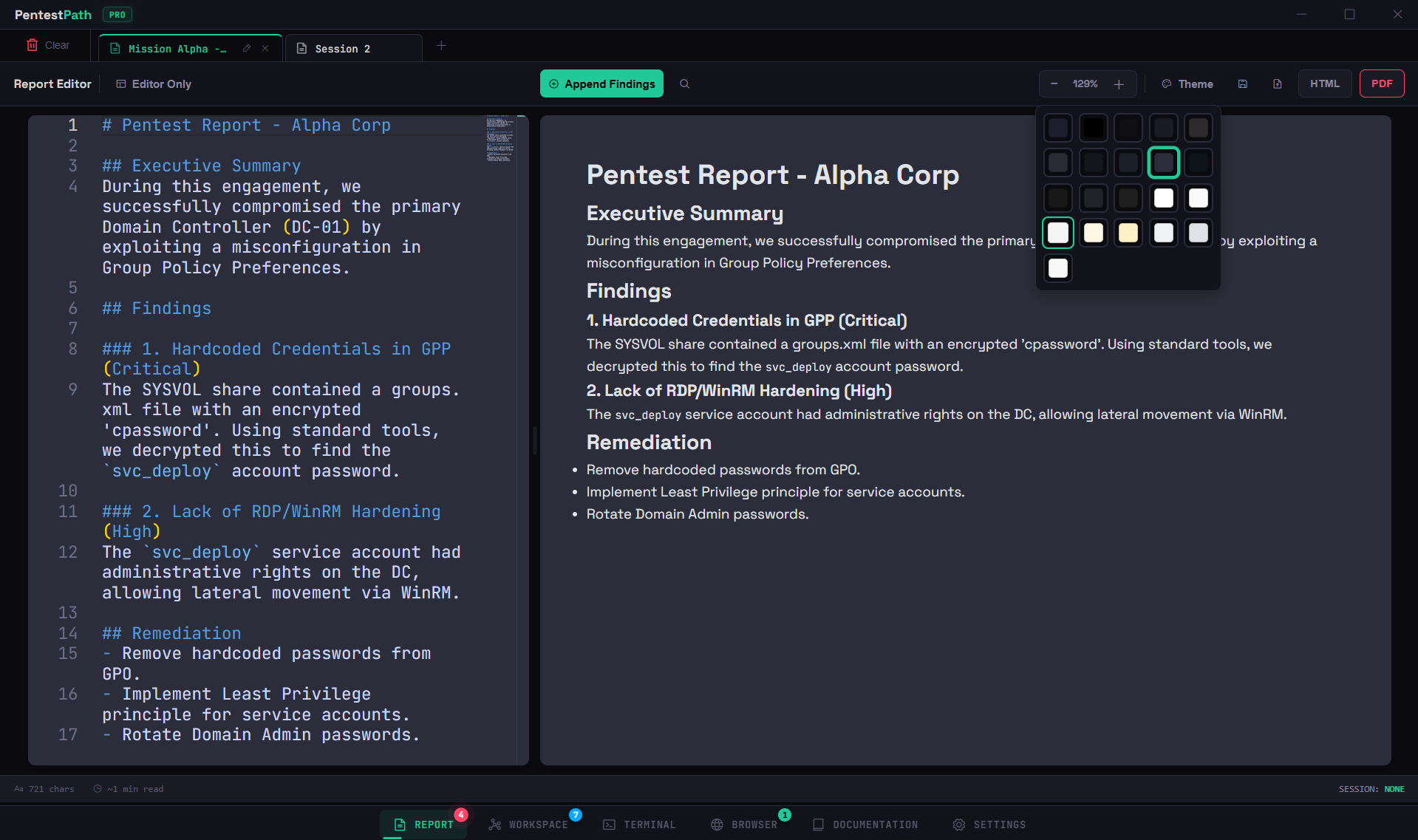
PentestPath is built around the engagement instead of around generic notes. The attack-path graph keeps recon, exploitation, privilege escalation, and loot in one model; the integrated Rust-backed terminal keeps execution in context; findings and pasted, annotated evidence stay attached to the right host. At the end, the markdown/HTML report — and Typst PDF on Pro — is generated from what you already captured, so there is no separate write-up phase. Everything stays local, with an optional encrypted vault and no telemetry.
Which one should you pick?
- Pick CherryTree if you want a free, no-setup notebook and do not mind assembling the report manually.
- Pick Obsidian if you already live in it and enjoy maintaining your own plugin-based workflow.
- Pick PentestPath if you want the graph, terminal, findings, and report in one local app so the deliverable mostly writes itself. The free tier is enough to try it on a full box.
Frequently asked questions
What is the best note-taking tool for OSCP?
The best OSCP note-taking tool is the one that turns your notes into the exam report with the least friction. CherryTree and Obsidian store notes well, but you still rebuild the report by hand at the end. PentestPath keeps your terminals, findings, evidence, and attack-path graph in one local app and generates the markdown/HTML report from what you captured during the engagement.
Is CherryTree a good pentest note-taking tool?
CherryTree is a solid, free hierarchical note tool and stays popular for OSCP notes. The limit is that it is a generic notebook: there is no attack-path graph, no integrated terminal, and no findings-to-report pipeline, so you still assemble the deliverable manually and copy evidence around.
Can I use Obsidian for pentest reporting?
Yes. With templates and community plugins, Obsidian is a powerful knowledge base you can bend into a pentest workflow. The trade-off is that you build and maintain that setup yourself, and it still has no integrated terminal or attack-path graph tied to the engagement.
Why choose PentestPath over CherryTree or Obsidian?
PentestPath is purpose-built for offensive engagements: attack-path graph, integrated terminal, structured findings and evidence, and report export in one local-first desktop app. Instead of formatting notes into a report at 3am, the report is generated from what you already captured.
Does PentestPath work offline and keep my data private?
Yes. PentestPath is local-first with no telemetry and no cloud requirement. Your data stays on your machine and can be stored in an encrypted vault (AES-256).
How much does PentestPath cost?
PentestPath has a free tier with one session, which is enough to run it on a full box. Pro is a one-time payment of USD 47.99 (excl. VAT) and unlocks unlimited sessions, Typst PDF export, custom Arsenal, the local AI assistant, and Team Mode beta.
Try PentestPath on your next box
Local-first desktop app for Windows and Linux. Free tier includes one session. Pro is a one-time USD 47.99 (excl. VAT).